Code till you … drop
Posts tagged maven
Reading Apache Maven 2 Effective Implementation
Nov 21st
Reading Apache Maven 2 Effective Implementation
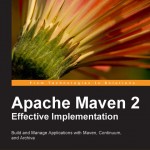
Thanks to Amit Sharma (of Packt Publishing), I recently got a copy of Apache Maven 2 Effective Implementation authored by Brett Porter and Maria Odea Ching.
The book has proven to be an interesting read so far (even for an advanced maven user), covering a lot of important (and sometimes little known) plugins. Its best practices chapter along with the real-life advices/tips that are found throughout the book are a must read. On the other hand, I would really have liked to see a chapter or appendix covering maven support in IDEs + I must admit don’t have much of respect for Archiva (that’s based on a few weeks interaction i had with it 3 years ago – perhaps things have improved?) which is covered in detail in the book, along with Continuum.
Anyway, expect a complete review soon.
Maven and slow dependencies report
Oct 5th
Maven and slow dependencies report
If the dependencies report takes too long to finish, it could be due to maven trying to determine (and generate a report of) which repository contains which artifact… and the network and/or repos being slow or unreachable.
In any case, here’s how you can short-circuit that process:
mvn -Ddependency.locations.enabled=false site
Maven Presentation
Mar 17th
On Feb 14 (yep, that was the Valentine’s day), i did a Maven presentation for out local Java User Group, and it looks like it was very well received (which is great cause i was terribly nervous at the begining ).
Quick maven tip for downloading sources of a specific dependency
Nov 13th
Quick maven tip for downloading sources of a specific dependency
This may come in handy. since on big projects with many dependencies it may take a while to download ALL sources. So, here is an example:
mvn dependency:sources -DincludeGroupIds=org.apache.tapestry
For more, see the dependency plugin docs
Quick maven tip for deploying to remote FTP repository
Oct 30th
First, you’ll need to make sure the following jars exist in %MAVEN_HOME%/lib (i include the versions i currently have):
- wagon-ftp (1.0-beta-2)
- commons-net (1.4.1)
- oro (2.0.8)
Then define a server (& its credentials) for the remote repo in your ~/.m2/settings.xml and finally issue something like:
mvn deploy:deploy-file -Dfile=mysql-source.jar -Dclassifier=sources
-DpomFile=mysql-connector-java.pom -Durl=ftp://my.server.com/path/to/repository -DrepositoryId=my.server.idTapestry-4.1.6 maven archetype
Jun 17th
There’s an updated archetype for Tapestry-4.1.6-SNAPSHOT over at (the well known snapshot repo)
http://people.apache.org/repo/m2-snapshot-repository
All the hard work was done by Ulrich Stärk, so big thanks to him
For the record, here’s how to quickly generate a Tapestry project
mvn archetype:create -DarchetypeGroupId=org.apache.tapestry \ -DarchetypeArtifactId=tapestry-archetype \ -DarchetypeVersion=4.1.6-SNAPSHOT -DgroupId=org.example -DartifactId=myapp \ -DremoteRepositories=http://people.apache.org/repo/m2-snapshot-repository
Patching maven-surefire-plugin… yet again!
Mar 2nd
Patching maven-surefire-plugin… yet again!
Cleaning a maven repo
Oct 11th
Cleaning a maven repo
Just saw the size of my local maven repo… and it isn’t nice
So, I’m wondering, is there a maven goal that cleans up ‘obsolete’ files? I want files like old snapshot jars deleted … cause, if you depend on SNAPSHOT versions of projects that update often, you do end up with LOTS of them!
Controlling Jetty port in Maven 2
Jan 12th
Overriding the jetty port used on mvn jetty:run was always something that annoyed me…
and that was due to my solution which had been to alter the project’s pom adding:
<connector implementation="org.mortbay.jetty.nio.SelectChannelConnector"> <port>9090</port> <maxIdleTime>60000</maxIdleTime> </connector>
One problem with this is that i only need this on one of my dev machines (where the default 8080 port is
already occupied) and additionally this is not something that one would commit and enforce it to others.
It’s just plain wrong.
Maven Profiles
~/.m2/settings.xml of the machinein question, we can add
<profile>
<id>override-jetty-port</id>
<activation>
<activeByDefault>true</activeByDefault>
</activation>
<!-- something to change the port here -->
</profile>
But the problem is that it’s not easy to figure out the ‘something to change the port here’ part.
Jetty’s docs talk about the jetty.port property but it must be a system property, i.e. adding
<properties> <jetty.port>8084</jetty.port> </properties>
doesn’t do the trick.
Custom Hack
that let’s define a default value of 8080 for it inside the pom, and then let’s override this in our settings.xml !
But of course, it doesn’t feel right + i’d have to modify too many poms to go unnoticed by others…
Enlightment
export MAVEN_OPTS="-Xmx768m -Xms64m -Djetty.port=9090"
is all that it takes… Aargggggg…